The short version
Terms comparison from both official pricing pages, captured in USD on October 4, 2026. No accounts were created.
These two are closer than any other pair on this site, and the price gap is almost insulting: $9 versus $10 per seat, with monday handing over AI credits at the entry tier while Notion holds full AI until $20.
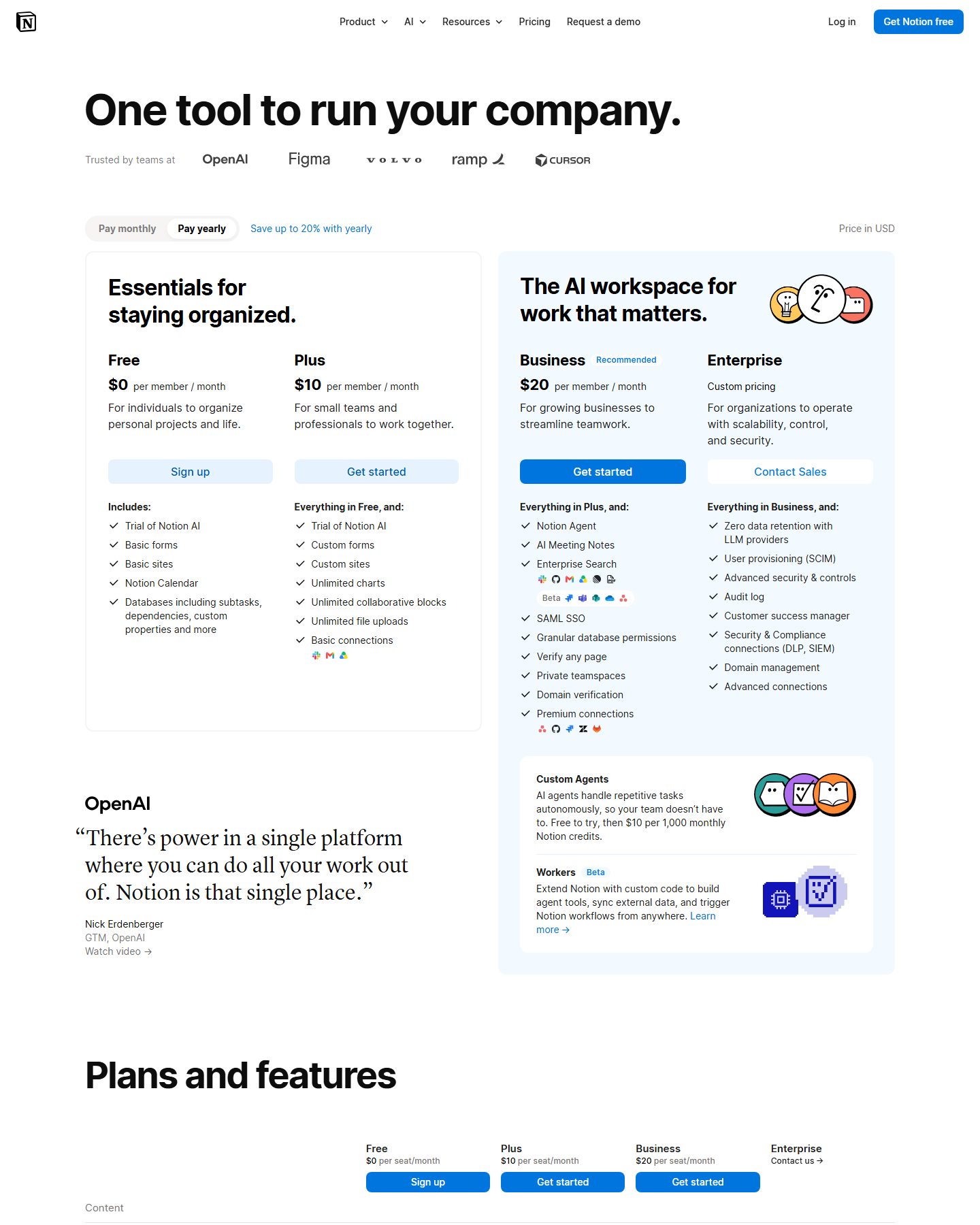
Pricing side by side
| Notion | monday.com | |
|---|---|---|
| Free | $0 per member/month | $0 free forever, up to 2 seats, 3 boards |
| Entry paid | Plus $10/member/mo yearly · $12 monthly | Basic $9/seat/mo yearly · $12 monthly |
| Mid tier | — | Standard $12 yearly · $14 monthly |
| Upper paid | Business $20 yearly · $24 monthly | Pro $19 yearly · $24 monthly |
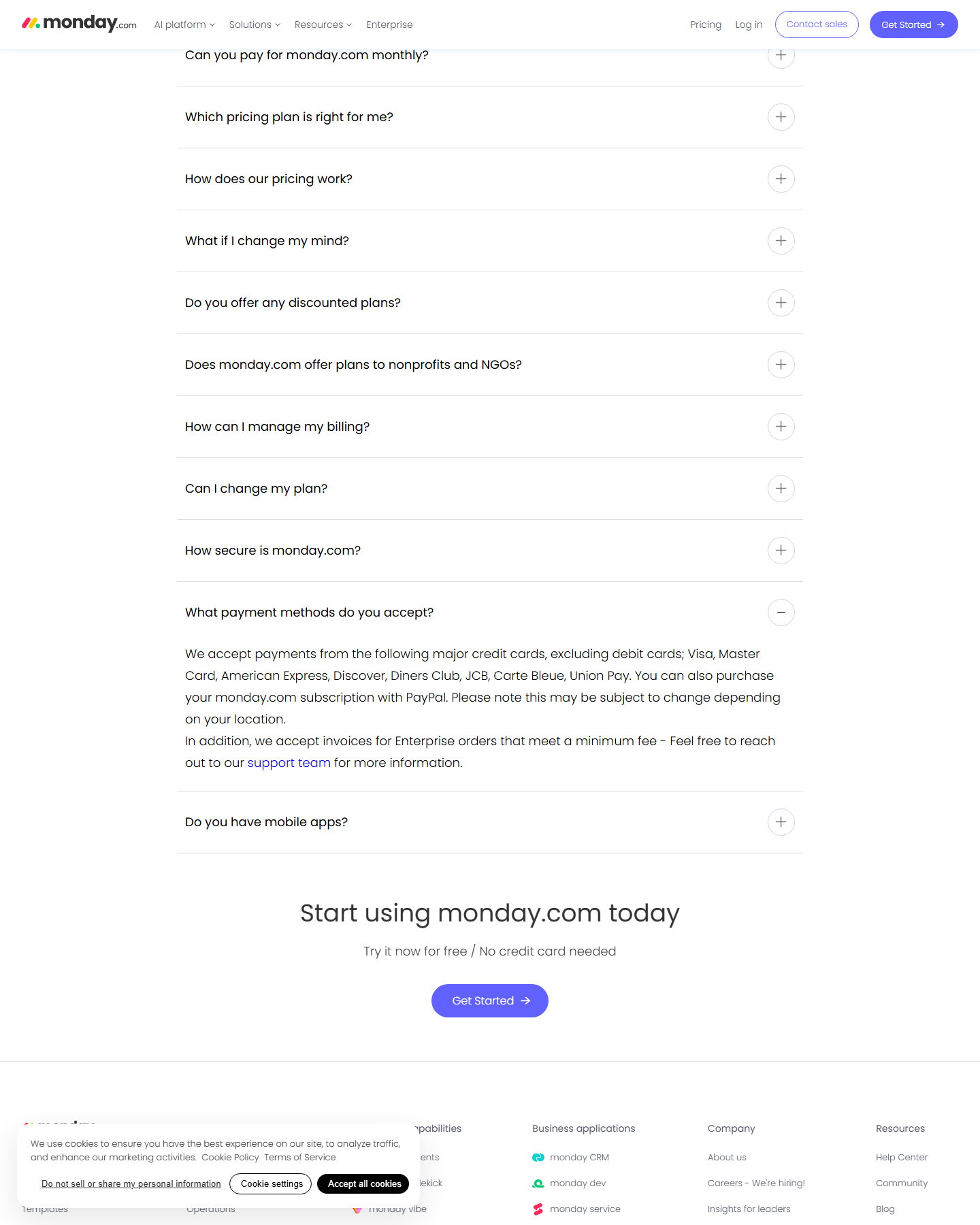
Correction (October 8, 2026): this table previously listed monday Pro monthly at $22. That figure could only be derived from the yearly card’s struck-through total (“$220” ÷ 10 seats). A fresh monthly-state capture on October 8 reads $24 per seat/month (10 seats = $240), while the Pro yearly card prints a promotional “$190” offer total. The $22 is a promotional display artifact, not the monthly price; see clickup-vs-monday for the full per-badge math. | Enterprise | Custom | Custom price, “discounts available” | | AI included | Trial on Free and Plus; full from Business | 1,000 credits on Basic, 2,000 on Standard, 3,000 on Pro | | Guests | 10 free on Free, unlimited on paid | Guests billable as seats |
The AI line is the real story. monday’s Basic tier at $9 lists three AI tools and 1,000 credits per month. Notion’s $10 Plus tier lists “Trial of Notion AI.” To get the same AI capability on Notion you move to Business at $20 — $11 more per seat, per month, than monday’s entry tier.
What each entry tier actually includes
monday Basic ($9/seat/mo) lists up to unlimited boards, unlimited docs, automations at 250 actions per month, 3 workflows, forms and dashboards, 10,000 API calls per day, and mobile apps. It also carries a live promotional offer on the page: “$10 off / month” and “Special monthly discount = -$10” on a 10-seat purchase, printed directly in the checkout math.
Notion Plus ($10/member/mo) lists unlimited pages and blocks, unlimited file uploads (about a 5 GB max per file), database charts, custom forms and sites, form-branding removal, and basic connections to tools like Slack and Google Drive.
Both are legitimately capable. monday’s identity is boards and automations; Notion’s is documents and linked databases.
Free-tier limits that decide small teams
monday’s free plan is capped at 2 seats. That is the single hardest number on either page — a three-person team cannot use monday free at all. The page also shows the yearly toggle advertising “SAVE 18%,” so the monthly figures run higher than the ones quoted above.
Notion’s free plan has no seat cap but blocks stop being unlimited once a second member joins, and file uploads cap at 5 MB per file.
Automation and AI, side by side
This is where monday pulls ahead on value. Its Standard tier at $12 lists 20 workflows and 25,000 automation actions per month; Pro at $19 adds the AI workflow builder, portfolio dashboards, and 10,000 API calls per day going higher. Notion’s automation story is thinner at Plus and its AI features — Notion Agent, AI Meeting Notes, Enterprise Search — are all Business-tier, $20.
One more Notion cost that monday doesn’t have: custom domains for published sites run $8/month per domain on annual billing, $10 monthly, charged on top of the tier. monday doesn’t sell a separate domain add-on.
Verdict
If your team wants AI at the entry tier, monday Basic is cheaper and includes credits while Notion Plus gives a trial. If you’re a small team that hasn’t hit monday’s 2-seat free cap and you live in documents rather than boards, Notion Plus is the better editor.
Two pages worth reading next: Notion vs ClickUp if the driver is price per seat, and Notion pricing for the full tier breakdown including the domain and agent-credit add-ons.
Pricing verified against monday.com/pricing and notion.com/pricing on October 4, 2026. monday’s pricing page carries promotional discounts whose amounts vary with seat count — check the live page before purchase.