The short version
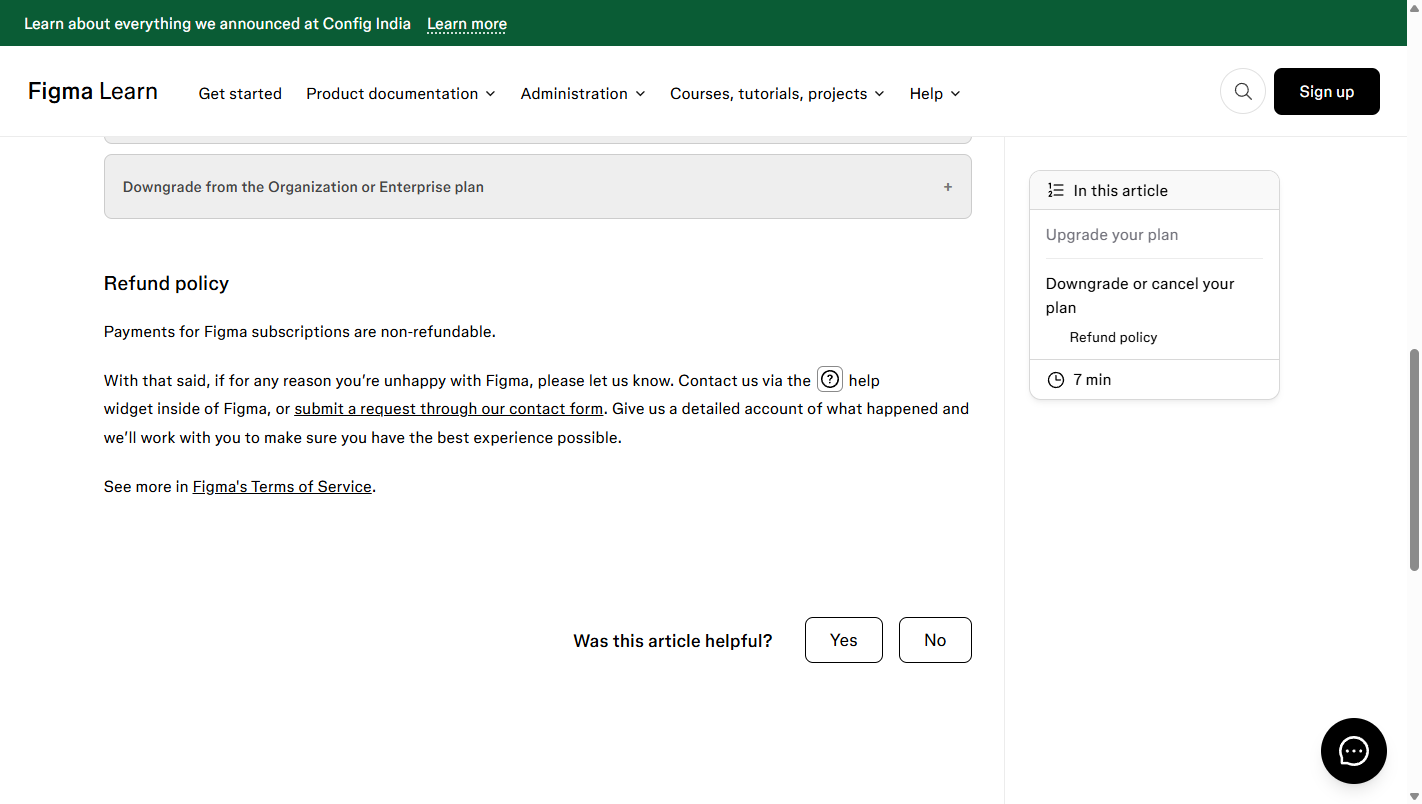
We captured Figma’s own help-center refund wording on 2026-10-27. The headline is blunt and official: “Payments for Figma subscriptions are non-refundable.” Everything else is nuance around that sentence — and the nuance matters, because Figma has two different refund surfaces depending on what you bought:
- Subscriptions (Figma Design/FigJam paid seats): non-refundable, period. The help article “Upgrade or downgrade your plan” prints the sentence above, with a softener: if you are unhappy, contact support via the help widget or the contact form and “we’ll work with you to make sure you have the best experience possible.” So refunds exist, but as discretionary support interventions — not a printed right.
- Community marketplace purchases: automatic refund within 24 hours. A separate help article (captured the same day) says you can request an automatic refund within 24 hours of buying a one-time-payment resource; refunds post in 5–10 business days. After 24 hours, requests are “subject to Figma’s discretion.”
- Plugin subscriptions: non-refundable, but cancelable. The same article: “Plugin subscriptions are not refundable but you can cancel the subscription to prevent it from being automatically renewed. When you cancel a subscription, you can still access the plugin until the end of the current billing cycle.”
What the upgrade/downgrade article adds
The same help article gives the billing-cycle mechanics that shape real refund experience:
- Downgrade to Free: “At the end of your billing period, Figma will downgrade your team to a free Starter team… You’ll have access to all Professional plan features until the end of the current billing period.” You keep the product through the paid period you already bought.
- Downgrade from Organization or Enterprise: contact support — those tiers are not self-serve.
- Upgrade credits: if teams on Professional are moved into an Organization upgrade, Figma “will automatically generate a credit for the remainder of the subscription(s)… applied to the first invoice created after upgrading.” Credits, which the page calls out only for the Organization-upgrade path.
Where the money actually goes
There is a real asymmetry on Figma’s refund surfaces:
| What you bought | Refund window (page wording) |
|---|---|
| Paid plan subscription | None printed — “Payments for Figma subscriptions are non-refundable”; support may help case-by-case |
| Community resource (one-time purchase) | Automatic refund within 24 hours; otherwise Figma’s discretion |
| Plugin subscription | Non-refundable; cancel to stop auto-renewal, keep access to end of cycle |
| Seat downgrade mid-cycle | No prorated refund printed for removing a paid seat; features survive to billing end |
For a design tool paid per seat, the practical protection is: only subscribe to the number of seats you need now — seat-level refunds are not a documented right, and the 24-hour window that protects Community marketplace buyers does not apply to subscriptions.
What we did not verify
- No Figma account was created and no payment was made; every statement is help-center article text captured 2026-10-27, not a transaction we exercised.
- Figma’s full Terms of Service and the legal Renewal & Cancellation page render JS-heavy content that would not yield a clean static capture in this session; the help-center articles are the company’s own public refund statement and are what we quote.
- “Case-by-case” support outcomes are, by nature, unverifiable from outside.
Verdict (terms-level, no score)
Figma’s printed policy is simple: subscriptions are non-refundable, and the 24-hour auto-refund window exists only for Community marketplace one-time purchases. Budget accordingly — buy seats you need now, lean on the trial if one is offered, and treat support as the only discretionary refund route.
Sources: help.figma.com “Upgrade or downgrade your plan” (360046216313, captured 2026-10-27) and “Request a refund for a Community resource” (12816440381975, captured 2026-10-27). All phrasing is the articles’ own wording; no transaction was performed.
Related pages
- Figma review — what a full paid seat costs on the annual and monthly plans.
- Figma vs Penpot — how the refund rules compare with the free, self-hosted alternative.