The short version
This page is the plan-math read: seat prices and tier limits as cal.com/pricing publishes them. The hands-on test lives on a separate page — our Cal.com hands-on review covers the booking run itself (build link → visitor books → Cal Video); here, seat prices are quoted and paid tiers are page-verified only, because no card-required plan is ever bought for a test.
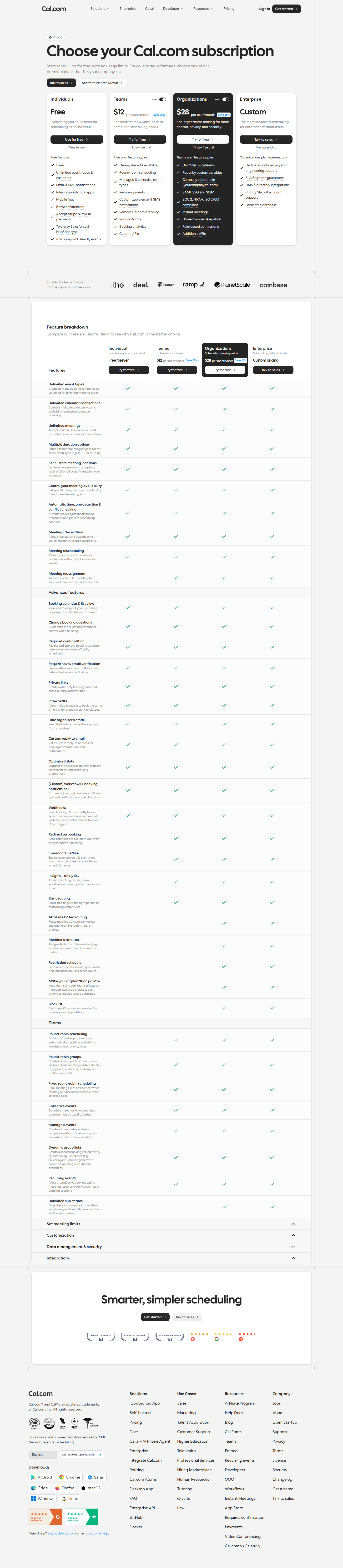
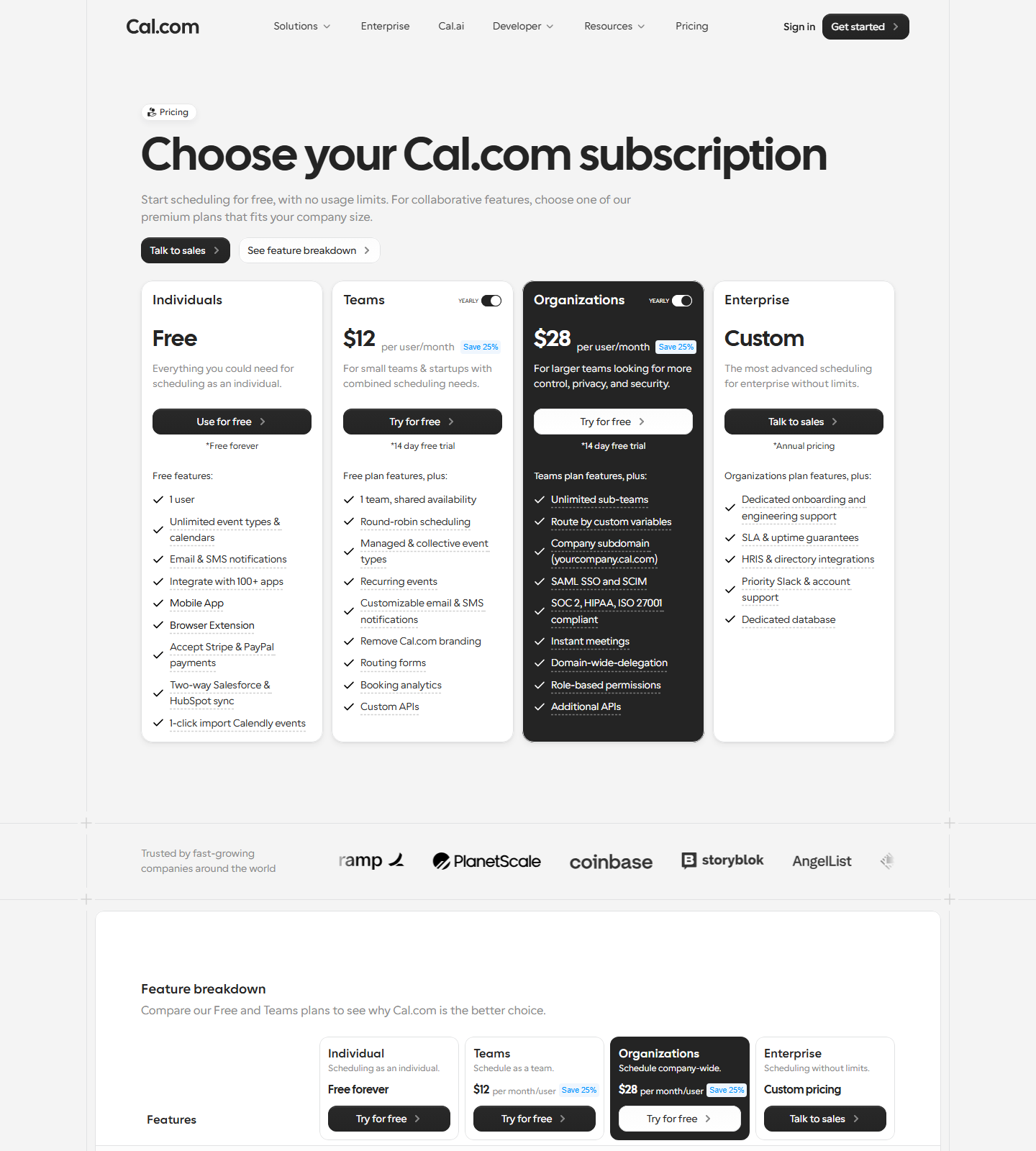
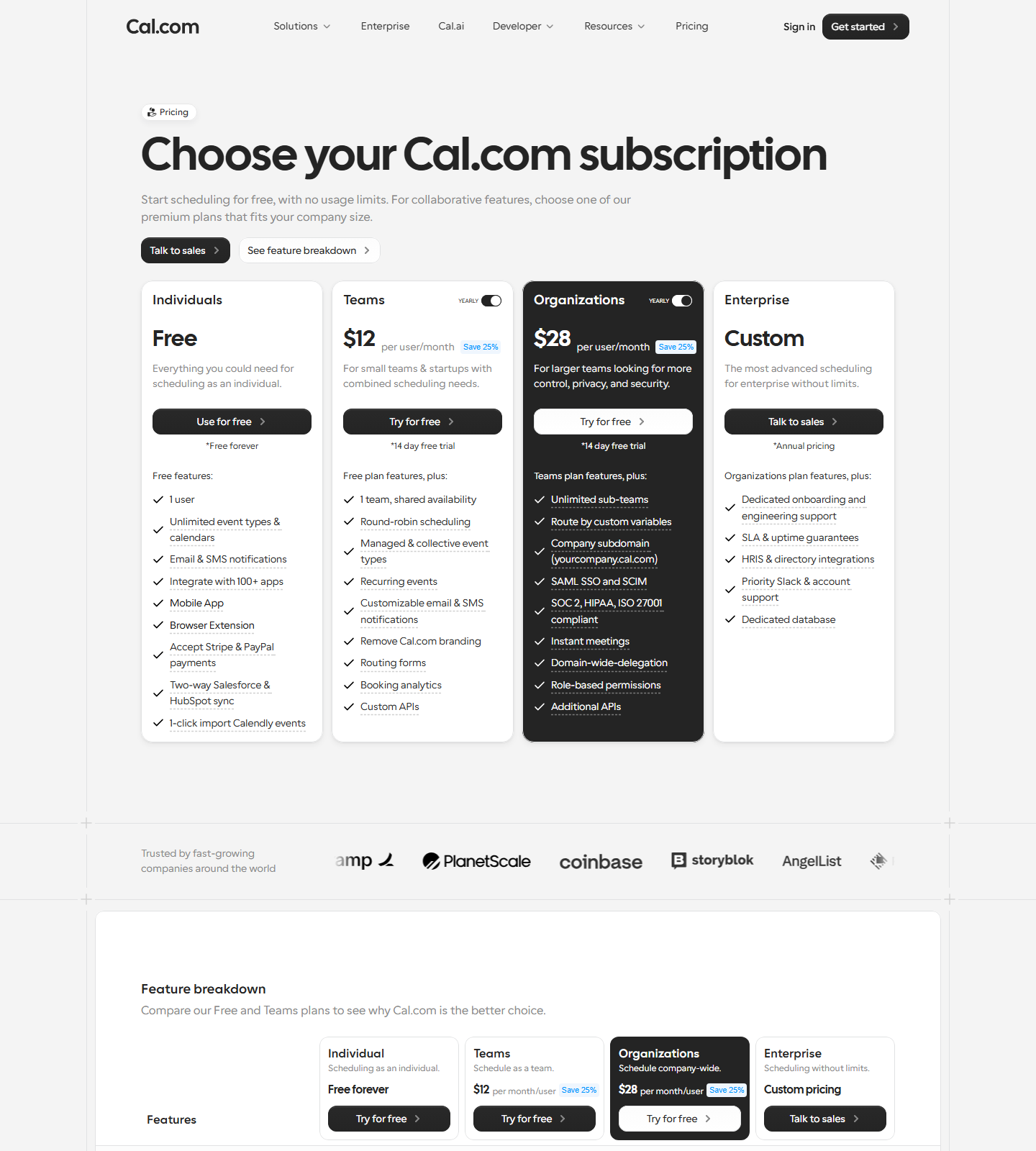
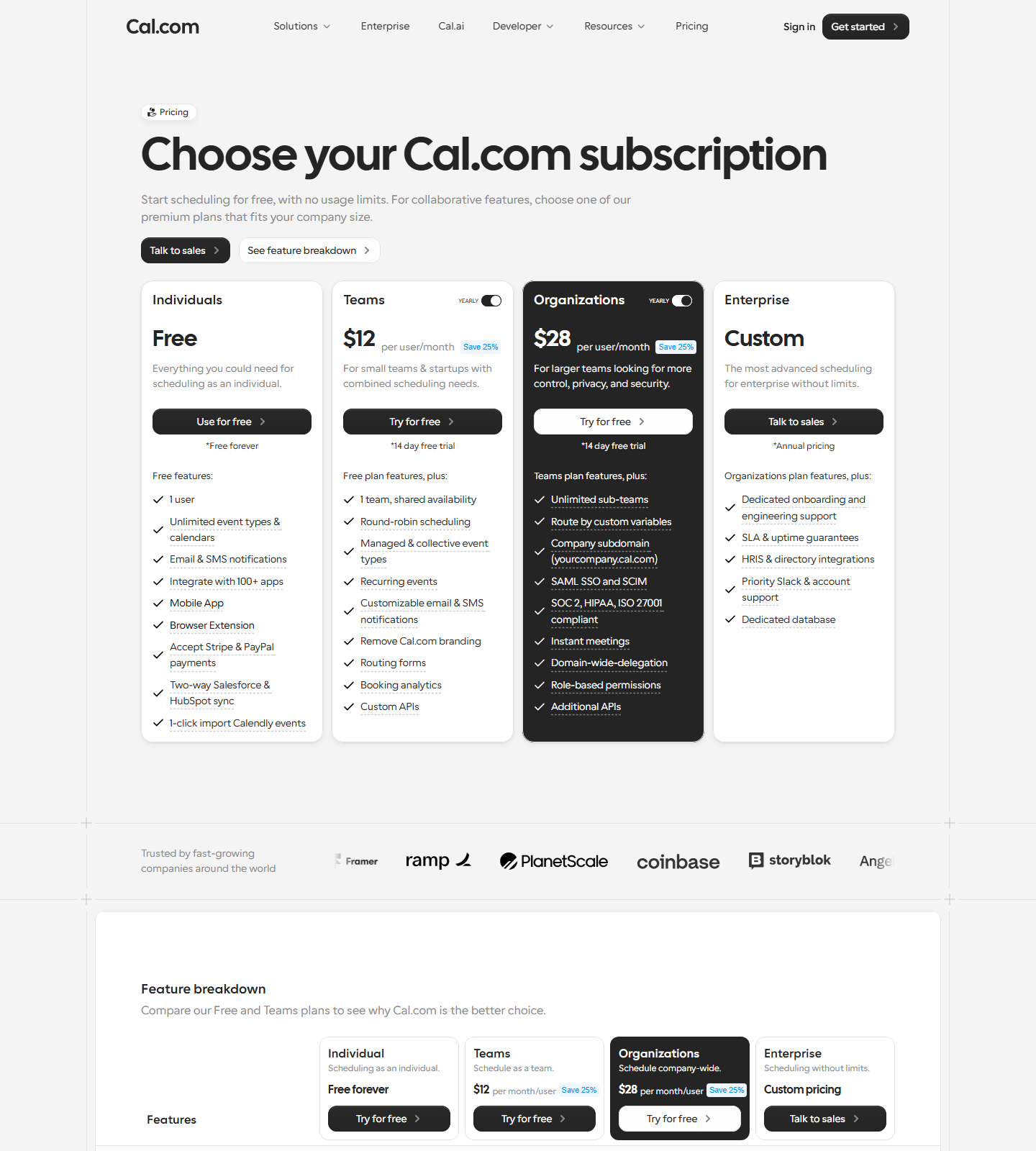
Pricing captured from cal.com/pricing on August 31, 2026 and re-checked with a fresh capture on September 2, 2026 — both screenshots are in the evidence panel above, and the two views were identical:
| Free | Teams | Organizations | |
|---|---|---|---|
| Price (yearly) | $0, “free forever” | $12/user/mo (Save 25%) | $28/user/mo (Save 25%) |
| Price (monthly) | $0 | not shown anywhere on the page | not shown |
| Users | 1 | multi-seat | multi-seat + sub-teams |
| Event types & calendars | Unlimited | Unlimited | Unlimited |
| Email & SMS notifications | ✅ | ✅ | ✅ |
| Integrations | 100+ apps | 100+ apps | 100+ apps |
| Stripe & PayPal payments | ✅ | ✅ | ✅ |
| Salesforce & HubSpot two-way sync | ✅ | ✅ | ✅ |
| Round-robin / managed events | ❌ | ✅ | ✅ |
| Workflows, analytics, team branding | ❌ | ✅ | ✅ |
| 1-click Calendly import | ✅ | ✅ | ✅ |
There is a 14-day free trial on the paid tiers — the pricing page’s “Try for free” buttons carry the footnote “*14 day free trial” (verified in the 2026-09-02 capture; this detail is new relative to our first Aug 31 pass). No credit card state was checked at signup for the trial — we did not start one, per our no-card testing policy.
What the free plan actually includes (as published)
Cal.com’s own wording for the free tier is “free, with no usage limits” for 1 user. This page does not stretch that line into a feature-by-feature walk-through: the end-to-end chain (unlimited event types, a public booking link a visitor can use without an account, email confirmations, built-in Cal Video with no third-party account) is documented in our hands-on review, with dated screenshots in its evidence index. Here the free tier is quoted as published and the paid tiers are page-verified.
Two caveats from the pricing page:
- The free plan is one user only — shared availability, round-robin and collective events are Teams features (page-verified, not tested).
- Free bookings pages showed no “Powered by” watermark in our DOM check, but “Remove branding” is sold as a paid feature, so what exactly stays branded on free (beyond the watermark we looked for) may vary by surface.
Why you’ll never see the monthly price — and what it implies
The Aug 31 and Sep 2 captures agree: the Cal.com pricing page has no monthly/yearly toggle (programmatic check on the live DOM on 09-02: zero clickable “monthly” controls; the word “monthly” appears 0 times). Both paid tiers show only the yearly rate with a “Save 25%” badge. (Re-checked 2026-09-28 — no drift: third consecutive capture (09-02 / 09-25 / 09-28) renders the identical state — Teams $12, Organizations $28, YEARLY badge, Save 25%, and zero MONTHLY toggle elements in the page; the monthly-price verification gap below is therefore not a capture artifact, it is how Cal.com ships the page.)
(Re-checked 2026-09-25 — no drift: same $12 / $28 / “Save 25%” / YEARLY-badge state; the page now also prints “$12 per month/user” in a secondary summary block, which is still the yearly-divided display, not a month-to-month offer — no monthly toggle appeared.)
(Re-checked 2026-10-03 — no drift: fourth capture in the rolling rescan (09-02 / 09-25 / 09-28 / 10-03) is byte-identical in the parts that matter: Teams $12, Organizations $28, YEARLY badge, “Save 25%”, and still no monthly toggle anywhere in the rendered page; the older figures we had previously seen quoted elsewhere ($15 / $23 / $29) do not appear at all.)
(Re-checked 2026-10-19 — no drift: fifth capture in the rolling rescan (runId
2026-10-19-cal-com-p0-fresh, headless-Chrome text layer plus a full-DOM scan) repeats the same
state — Teams $12, Organizations $28, YEARLY badge, “Save 25%”, still no monthly toggle
element, and none of $15 / $23 / $29 anywhere in the rendered text.)
Working backwards from Cal.com’s own discount claim, $12 × 1.333 ≈ $16/user/mo billed monthly — that is arithmetic on their “Save 25%” figure, not a number Cal.com displays. Third-party trackers have listed ~$15; we could not confirm either value from an official source, and we’re telling you that instead of pretending the page says more than it does. If the month-to-month price matters to your decision, ask sales — or just note that with a 14-day trial, annual-vs-monthly rarely survives as a real dilemma for a $12 tool.
Is the free plan enough?
For a single person booking meetings: yes. It is still the broadest $0 tier we have checked in scheduling — Calendly’s free plan caps you at one event type and one calendar connection, and Setmore caps free at up to 4 users. One update worth knowing before you choose on “wider free tier” alone: TidyCal’s free plan now matches Cal.com on unlimited bookings and unlimited booking types (captured 2026-09-30 — see our scheduling alternatives page). The other thing Cal.com throws into its $0 tier is built-in Cal Video — a Cal.com-hosted meeting room we actually joined during our test, with no Zoom or Google account involved — plus Stripe/PayPal payment collection. You hit the paywall at the exact moment a second person joins your team.
Prices captured from cal.com/pricing on 2026-08-31 and re-checked on 2026-09-02, 2026-09-25, 2026-09-28, 2026-10-03 and 2026-10-19 (all screenshots in the evidence panel — no drift across the five re-checks). See our testing methodology for how we verify claims.
Related guides
More of our Cal.com guides: