The short version
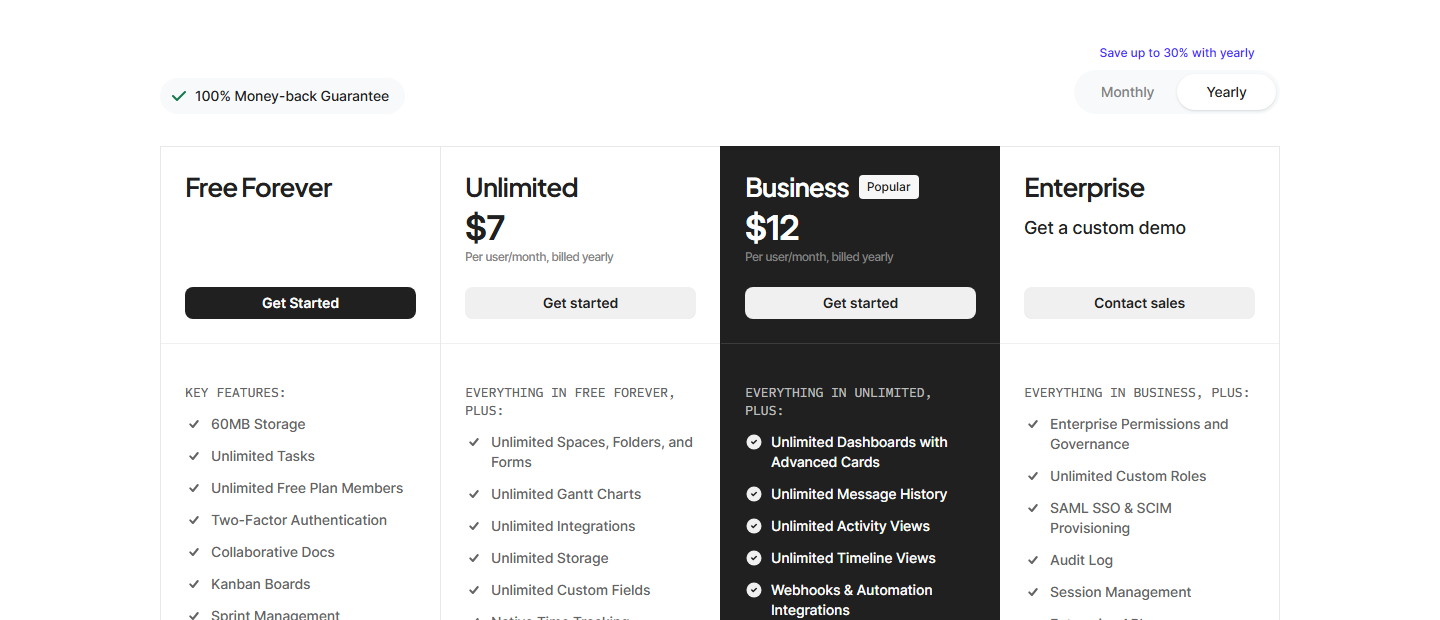
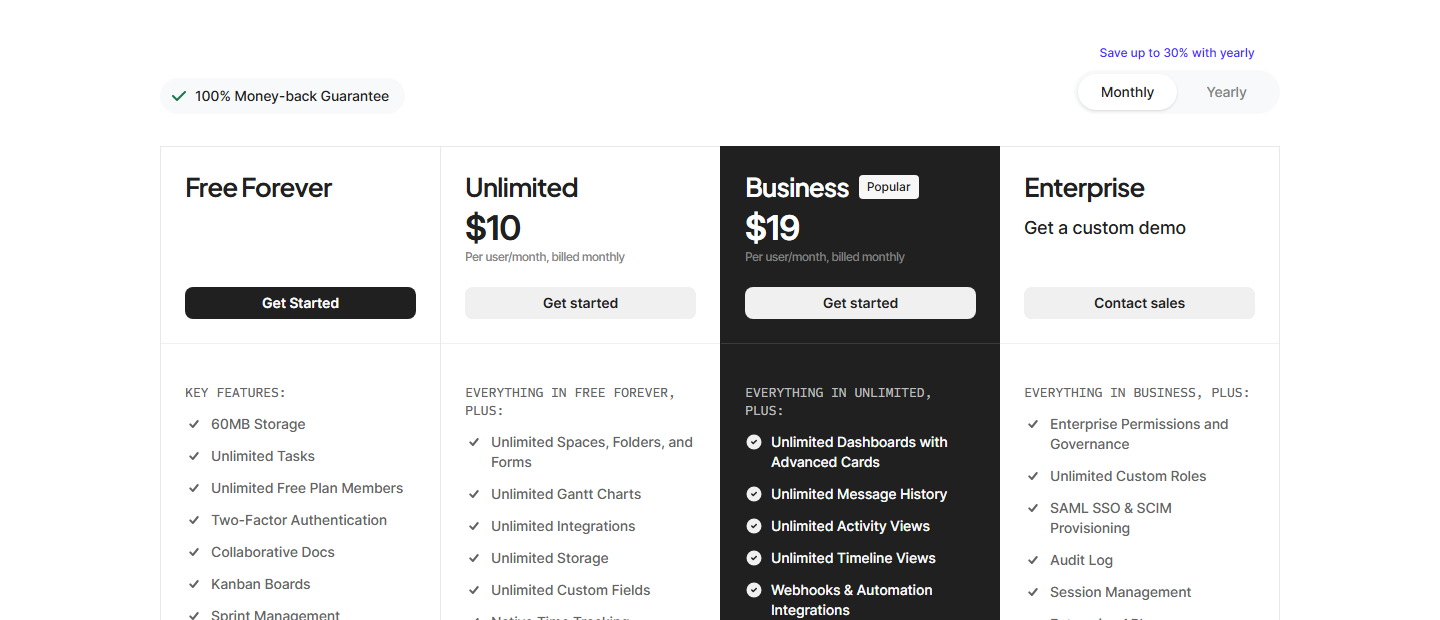
Checked against the live ClickUp pricing page on 2026-09-18 (proxied browser session, both billing states exercised; all figures below are page text captured from the rendered page). Prices have zero drift against our 2026-09-14 capture — $7/$10, $12/$19, $9, $28 and $0.001 per AI Super Credit all unchanged in four days.
The plan cards describe what you get. The comparison matrix below them describes where you stop — and the matrix rows are the part a pricing page normally fails to make easy to read:
| Free Forever | Unlimited | Business | Enterprise | |
|---|---|---|---|---|
| Price | $0 | $7/user/mo yearly · $10 monthly | $12/user/mo yearly · $19 monthly | custom |
| Lists/Space | 40 | 200 | 400 | 1,000 |
| Folders/Space | 100 | 200 | 400 | Unlimited |
| Storage | 60 MB | Unlimited | Unlimited | Unlimited |
| Automations/mo | — | — | 5K (“$100 in value”) | 250K (“$750 in value”) |
| Spaces / Wiki / Forms | 5 / 1 / 1 | Unlimited / Unlimited / Unlimited | Unlimited / Unlimited / Unlimited | Unlimited / Unlimited / Unlimited |
| Whiteboards | 3 | — | private whiteboards | — |
| API | — | webhooks & automation integrations | webhooks & automation integrations | Enterprise API, enterprise-scale API usage |
Three things the cards don’t say, that the matrix does:
- Free Forever has structural ceilings, not usage ceilings. 40 lists and 100 folders per space are hard structure limits — adding a 41st list means a new space, and a space is already scarce on free (5 spaces). This is what actually forces the $7 upgrade for small teams, before storage does.
- The two “in value” annotations on automations contradict each other. Business annotates 5,000/mo as “$100 in value” ($0.020 per automation); Enterprise annotates 250,000/mo as “$750 in value” ($0.003 per automation). ClickUp’s own attribution implies the per-automation value is 6.7x cheaper at Enterprise than at Business. These are marketing attributions, not market prices — but the internal inconsistency is verifiable on one page.
- “Enterprise API” is an Enterprise-only line item. Unlimited and Business get “Webhooks & Automation Integrations”; the pricing page lists no API access on either, and no API rate limit anywhere. If integrations need the API, the pricing page cannot answer whether it is included below Enterprise — that has to be checked with sales.
How the “Save up to 30%” banner actually computes
The top of the platform section carries “Save up to 30% with yearly” and a separate “100% Money-back Guarantee” tagline. The AI section further down carries its own “Save up to 20% with yearly” banner. We report the guarantee tagline as printed on the page: the pricing page gives no refund window and no terms, so what it actually covers in practice is set at checkout or in ClickUp’s Terms of Service, not on this page.
Working the numbers from the printed prices:
| Tier | Monthly | Yearly | Saving vs monthly |
|---|---|---|---|
| Unlimited | $10/user/mo | $7/user/mo | 30.0% ($3 × 12 = $36/user/yr) |
| Business | $19/user/mo | $12/user/mo | 36.8% ($7 × 12 = $84/user/yr) |
So the banner is exact on Unlimited and understated on Business — a “up to” claim that is met at the floor and not the ceiling. The inverse framing (what monthly costs you) is the steeper number: +42.9% on Unlimited and +58.3% on Business. Budget the annual figures, not the monthly ones.
What each paid tier actually unlocks
Free Forever — $0. The card prints: 60 MB storage, unlimited tasks, unlimited free-plan members, two-factor authentication, collaborative docs, Kanban boards, sprint management, calendar view, basic custom field manager, in-app video recording, 24/7 support, 1 form.
Unlimited — $7/user/mo billed yearly, $10 monthly. Everything in free, plus unlimited spaces, folders and forms; unlimited Gantt charts; unlimited integrations; unlimited storage; unlimited custom fields; native time tracking; goals & portfolio management; guests with permission control; resource management; ClickUp Chat; Email in ClickUp. Note that permission control for guests is the thing that flips at this tier — free-plan guests “must be given full access (no permissions)”.
Business (the page marks this tier Popular) — $12/user/mo yearly, $19 monthly. Everything in Unlimited, plus unlimited dashboards with advanced cards, unlimited message history, unlimited activity views, unlimited timeline views, webhooks & automation integrations, 5,000 automations/mo, mind mapping, private whiteboards, custom exporting, sprint points & reporting, portfolio workload management, Google SSO, SMS 2FA, unlimited proofing.
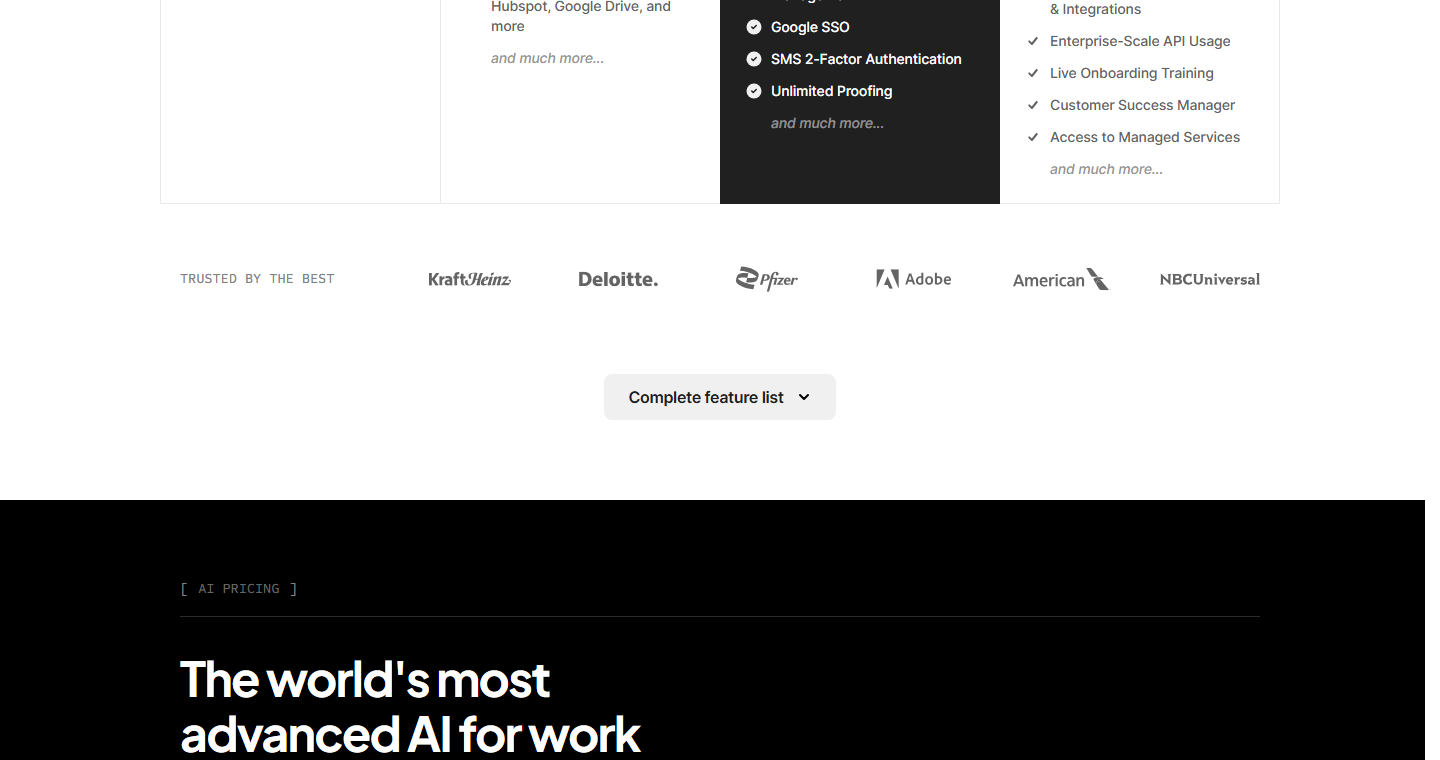
Enterprise — custom, “Get a custom demo / Contact sales”. Everything in Business, plus enterprise permissions and governance, unlimited custom roles, SAML SSO & SCIM provisioning, audit log, session management, Enterprise API, 250,000 automations/mo, custom branding, default personal views, MSA & HIPAA available, data residency, enterprise-scale automations & integrations, enterprise-scale API usage, live onboarding training, a customer success manager and access to managed services.
The AI ladder is a separate, pricier line
ClickUp sells AI as its own product with its own billing toggle, not as part of a seat:
- Brain AI — $9/user/mo: unlimited Brain Assistant, unlimited @Brain Agent, unlimited AI chat across Claude / ChatGPT / Gemini, expanded use of premium AI models, unlimited AI writing, Enterprise Search (Workspace), +1,500 AI Super Credits per user/mo.
- Everything AI — $28/user/mo (marked RECOMMENDED, “best for full agentic suite”): unlimited Ambient Answers, AI Notetaker, image generation*, AI fields, AI automations & dashboards, AI Assign & Prioritize, 3x more usage of Super Agents, Enterprise Search (Private & Workspace), +5,000 AI Super Credits per user/mo.
- AI Super Credits — $0.001 each, $10 per 10,000. The page states: “Every AI plan includes a monthly credit allowance shared across your Workspace. Credits fuel Super Agents, AI Fields, Automations, Image Generation, and more. Usage varies by complexity. Add more anytime.”
Worked out: on a $7 Unlimited seat, Brain AI costs 1.29x the seat and Everything AI costs 4x. The credit allowances are per user but pooled at workspace level — so a 10-person team on Everything AI gets 50,000 credits/mo before any top-up.
We did not exercise the AI section’s own Monthly/Yearly toggle, so the “Save up to 20% with yearly” figure is reported as printed, not computed.
For the layer underneath these list prices — the two-currency fair-use-vs-Super-Credits model, the official per-action cost table (10 credits for AI Fields, 20 for AI cards, 100 for image generation, 100–300 for agents), and the Brain-vs-Everything feature boundary — see our dedicated ClickUp AI credits breakdown.
Free-tier ceilings, and how far they stretch
Reusing the 2026-09-14 capture for the rows that did not re-render into today’s text layer, and marking the source for each:
- 60 MB total storage — today’s page, printed on the Free card.
- 5 spaces, 40 lists/space, 100 folders/space — today’s page, limits matrix.
- 1 form, 3 whiteboards, 1 wiki — 2026-09-14 capture; today’s matrix re-confirmed the form row and the whiteboard row on the Free card only.
- 30 days of chat history, 1 day of activity view history, guests without permission scoping — 2026-09-14 capture.
- Gantt, Timeline, Workload, Map, Mind Map and Embed views are “Trial” on free — 2026-09-14 capture. Not included, not hidden: usable only as a time-limited trial, and Timeline and Workload remain Trial even on Unlimited per the same table.
- Custom fields are “Trial” in the usage table even though the card lists a Basic Custom Field Manager as included; advanced custom fields are paid — 2026-09-14 capture.
A 5-person team on Free Forever can hold unlimited tasks and unlimited members but only 5 spaces × 40 lists = 200 lists total, 1 form and 60 MB. The lists ceiling is usually what breaks first for a scrum team: five sprints across two teams already needs the structure the free product caps.
One unusual artifact: competitors’ prices printed on the page
Below the plans, ClickUp publishes an interactive “apps to replace” calculator that names and prices competing products per user — on the 2026-09-14 capture it listed Slack $9/user, Google Drive $13/user, Salesforce $25/user, Loom $12/user, Confluence $9/user, HourStack $13/user, Clockify $9/user — and totals “$354,000/year for 500 people vs ClickUp $72,000/year.” It is a vendor-published savings claim built from list prices (no discounts, 500-seat scale assumptions), so treat it as marketing arithmetic rather than independent analysis — but it is also a conveniently cross-checkable snapshot of competitors’ 2026 list prices. The same page annotates automation allowances with dollar values (“5K automations per month, $100 in value”; “250K, $750 in value”) — value claims that are ClickUp’s own attribution, not market prices.
Cross-checks against the 2026-09-14 capture
| Figure | 2026-09-14 | 2026-09-18 | Drift |
|---|---|---|---|
| Unlimited | $7 yearly / $10 monthly | $7 / $10 | none |
| Business | $12 yearly / $19 monthly | $12 / $19 | none |
| Brain AI | $9/user/mo | $9/user/mo | none |
| Everything AI | $28/user/mo | $28/user/mo | none |
| Super Credits | $0.001, $10 per 10,000 | $0.001, $10 per 10,000 | none |
| Brain credit allowance | +1,500/user/mo | +1,500/user/mo | none |
| Everything AI credit allowance | +5,000/user/mo | +5,000/user/mo | none |
| Automations | 5K Business / 250K Enterprise | 5K / 250K | none |
Four days, zero drift — the numbers from the 2026-09-14 terms check (merged into this page on 2026-10-20) still stand, and the structural ladder above is new coverage of the same page.
Who should pick which (terms-level)
- Free Forever if you are under ~10 people, live in Kanban/tasks rather than files, and can work inside 5 spaces and 1 form. The 40-lists-per-space ceiling is the honest constraint, not the 60 MB.
- Unlimited ($7) if you are past the structural ceilings or you need guest permission control. It is the cheapest PM seat with unlimited storage and unlimited views in this comparison set — see the Asana vs ClickUp comparison and the Trello vs ClickUp comparison for how that price reads against both.
- Business ($12) if you need automations, SSO, private whiteboards or unlimited history. 5,000 automations/mo is enough for real workflow automation; the $0.020 implied per-automation value is the tier’s marketing claim, not a market price.
- Enterprise (custom) if you need SAML/SCIM, audit log, HIPAA/MSA, data residency, or API access beyond webhooks. The API is the one capability the pricing page will not price for you.
No star rating: this is pricing-page and limits-matrix analysis, not a hands-on build. The 2026-09-14 terms check that used to live at /saas/clickup-review/ was merged into this page on 2026-10-20 (one pricing intent, one URL).
Methodology & sources
- clickup.com/pricing — captured 2026-09-18 (UTC, through the local egress proxy) in a headless Chrome session at 1440x1200: full rendered text and a plan-card price screenshot in the default yearly state; the Monthly billing control was exercised and the page re-read, giving the monthly figures ($10 / $19) and a second screenshot; the comparison-matrix region was screenshot-cropped on the “Lists/Space” row anchor.
- Limits rows (Lists/Space 40/200/400/1,000; Folders/Space 100/200/400/Unlimited) are page text captured from the rendered matrix, not read off a screenshot — no OCR was used; the screenshots are captured at the DOM-anchored scroll position as position evidence for the region.
- Rows that did not re-render into today’s text layer (5 spaces, 1 wiki, 3 whiteboards, 30-day chat history, 1-day activity history, guest permission wording) are attributed to the 2026-09-14 capture (originally published as the standalone ClickUp terms check at /saas/clickup-review/, merged into this page on 2026-10-20).
- AI ladder figures, credit allowances and the “Save up to 20% with yearly” AI banner are page text from the AI section of the same capture; that section’s billing toggle was not exercised, so its discount is reported as printed.
- Percentage computations (30.0% / 36.8% / +42.9% / +58.3%, $0.020 and $0.003 per automation, 4x and 1.29x AI-to-seat ratios) are arithmetic on the printed prices, shown above.
- Checked 2026-09-18. Pricing pages change; re-verify before committing a budget.
Related guides
More of our ClickUp guides: